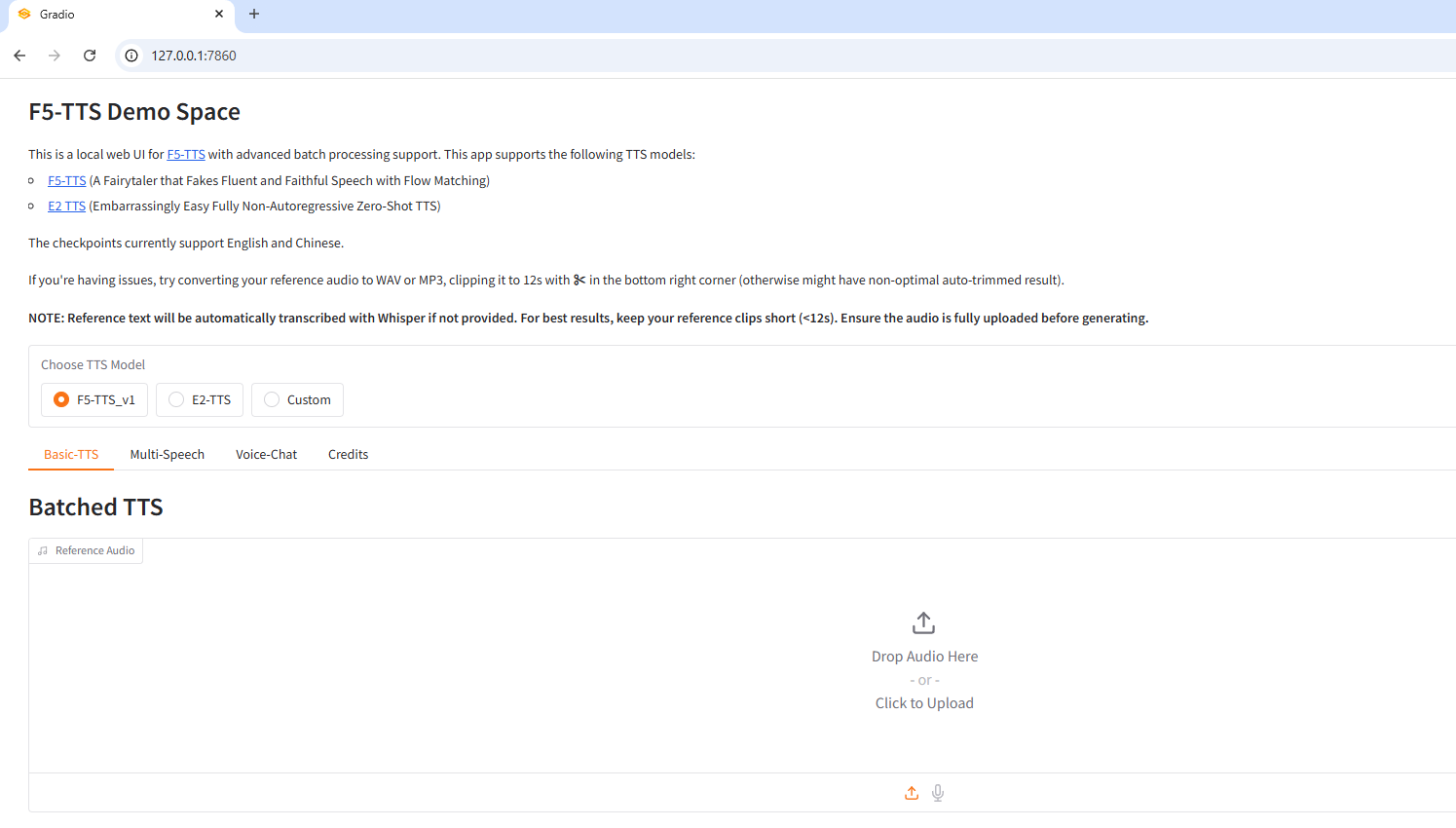
Install SWivid/F5-TTS on Windows with Conda
Introduction
F5-TTS is a flow matching-based text-to-speech synthesis system that generates high-quality speech from text input. The system implements Conditional Flow Matching (CFM) with transformer-based architectures to produce natural-sounding speech with voice cloning capabilities.
| Model | Architecture | Backbone | Description |
|---|---|---|---|
| F5-TTS | Diffusion Transformer | DiT, MMDiT |
ConvNeXt V2-based, optimized for speed |
| E2-TTS | Flat-UNet Transformer | UNetT |
Faithful reproduction of E2-TTS paper |
GitHub: https://github.com/swivid/f5-tts
Hugging Face: https://hf.co/SWivid/F5-TTS
Paper: https://hf.co/papers/2410.06885
Demo: https://hf.co/spaces/mrfakename/E2-F5-TTS
Prerequisites
System requirements:
- Operating System: Windows 10/11 (64-bit), macOS, or Linux (Debian/Ubuntu).
- Python: Version >=3.10 required
- Disk Space: 6GB+ recommended (for dependencies and model cache). At least 400 MB for Miniconda; 3 GB+ for full Anaconda.
- The GPU is optional but HIGHLY Recommended for Performance
- Internet: For downloading dependencies and models from Hugging Face Hub.
| Environment | Run this Command |
|---|---|
| CPU only | pip3 install torch torchaudio |
| CUDA 11.8 | pip3 install torch torchaudio –index-url https://download.pytorch.org/whl/cu118 |
| CUDA 12.1 | pip3 install torch torchaudio –index-url https://download.pytorch.org/whl/cu121 |
| CUDA 12.6 | pip3 install torch torchaudio –index-url https://download.pytorch.org/whl/cu126 |
| CUDA 12.8 | pip3 install torch torchaudio –index-url https://download.pytorch.org/whl/cu128 |
| CUDA 13.0 | pip3 install torch torchaudio –index-url https://download.pytorch.org/whl/cu130 |
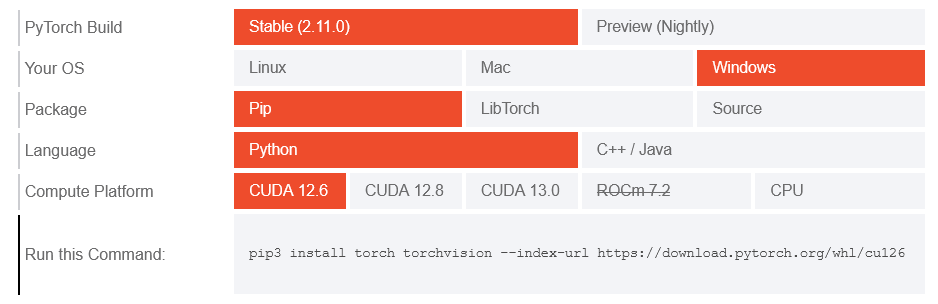
Note: CUDA version check by command
nvidia-smi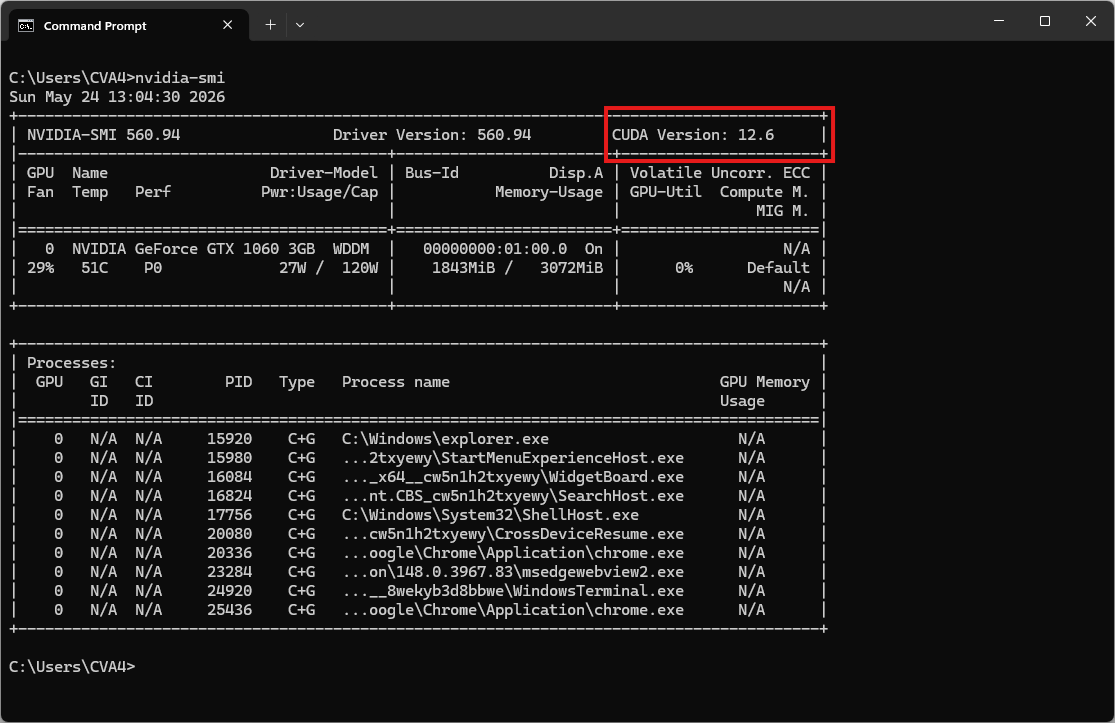
Video tutorial
Step 1. Install Miniconda Package
Download Miniconda: https://www.anaconda.com/download/success?reg=skipped
Direct link: https://anaconda.com/api/installers/Miniconda3-latest-Windows-x86_64.exe
How to Install Miniconda on Windows
Step 2. Create Conda Environment
Create a conda environment:
name: f5-tts
channels:
  - conda-forge
  - defaults
dependencies:
  # Python version >= 3.10 required
  - python=3.11

  # Install FFmpeg if you haven't yet
  - ffmpeg

  - pip
  - pip:
      # PyTorch CUDA 12.6 wheels
      - --extra-index-url https://download.pytorch.org/whl/cu126
      - torch
      - torchaudio

      # --- CPU only ---
      # - torch
      # - torchaudio

      # Allow run Gradio app (web interface)
      - gradio

      # F5-TTS
      - f5-tts
Activate conda environment:
conda env create -f environment.yml
conda activate f5-tts
Step 3. Run the Inference
CLI Inference
Reference audio sample voice:
# Run with flags
# Leave --ref_text "" will have ASR model transcribe (extra GPU memory usage)
f5-tts_infer-cli --model F5TTS_v1_Base \
--ref_audio "D:\f5-tts\ref_audio.wav" \
--ref_text "The piper was very glad to see the pig and said to Tom" \
--gen_text "Some text you want TTS model generate for you."
The result will be the audio file tests\infer_cli_basic.wav
Gradio app (web interface)
# Launch a Gradio app (web interface)
f5-tts_infer-gradio
Starting app…
- Running on local URL: http://127.0.0.1:7860