Install ICE-012 Audio TTS on Windows with Conda
Introduction
ICE-012 Audio is a multilingual TTS model with streaming output and reference-based voice cloning. It introduces an active acoustic adapter — conditioning codec embeddings before the backbone and refining hidden states after it.
Hugging Face: https://hf.co/darkps/ice-012-audio
Demo: https://hf.co/spaces/hugging-apps/ice-012-audio-tts
Website: https://dark.ps
Prerequisites
System requirements:
- Operating System: Windows 10/11 (64-bit), macOS, or Linux (Debian/Ubuntu).
- Python: version >= 3.10 required
- Disk Space: 10GB+ recommended (for dependencies and model cache). At least 400 MB for Miniconda; 3 GB+ for full Anaconda.
- The GPU is optional but HIGHLY Recommended for Performance.
- Internet: For downloading dependencies and models from Hugging Face Hub.
Minimum requirements:
- CPU: Intel Core i3 or AMD Ryzen 3
- RAM: 8 GB.
Recommended requirements:
- CPU: Intel Core i5 or AMD Ryzen 5
- RAM: 16 GB
High-performance requirements:
- CPU: Intel Core i7/i9 or AMD Ryzen 7/9
- RAM: 32 GB
| Environment | Run this Command |
|---|---|
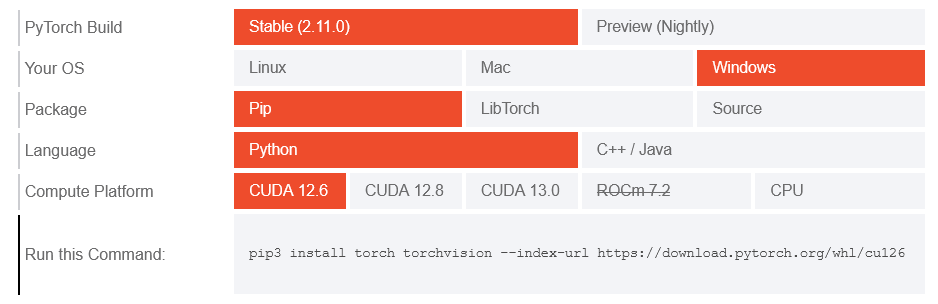
| CPU only | pip3 install torch torchvision |
| Apple Silicon | pip3 install torch torchvision |
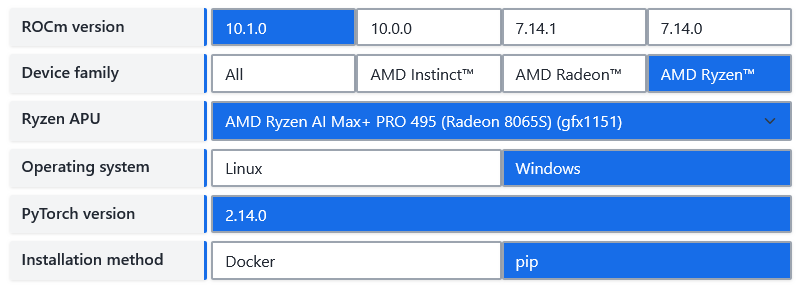
| AMD ROCm | Install PyTorch for ROCm |
| CUDA 11.8 | pip3 install torch torchvision torchaudio –index-url https://download.pytorch.org/whl/cu118 |
| CUDA 12.1 | pip3 install torch torchvision torchaudio –index-url https://download.pytorch.org/whl/cu121 |
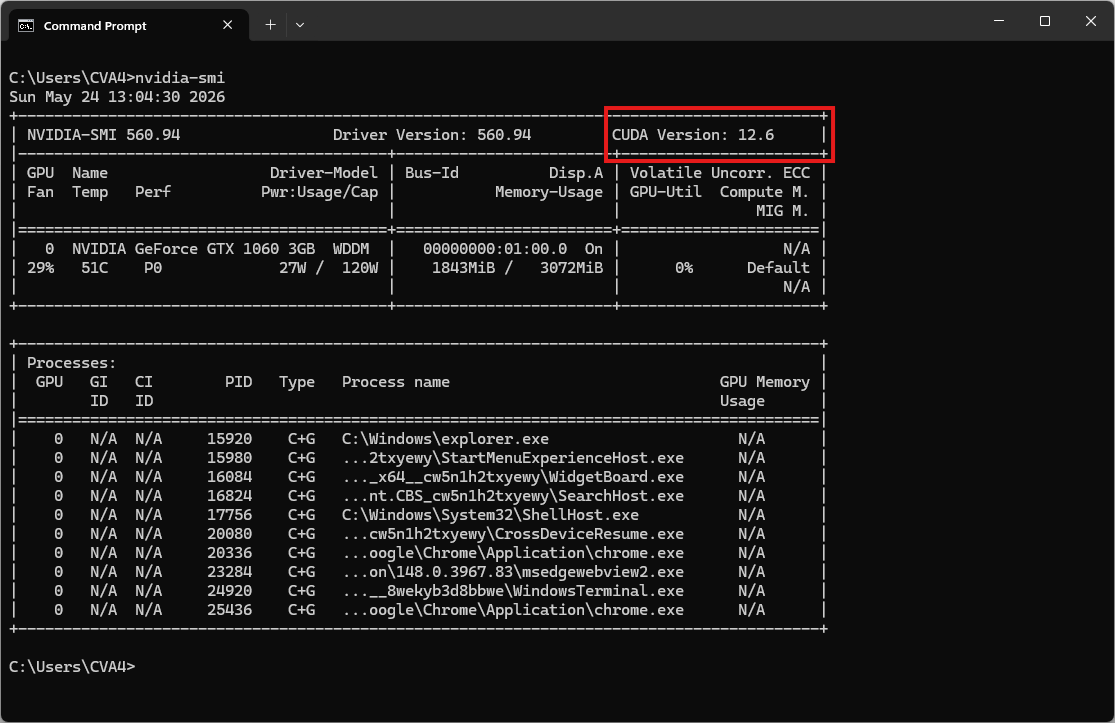
| CUDA 12.6 | pip3 install torch torchvision torchaudio –index-url https://download.pytorch.org/whl/cu126 |
| CUDA 12.8 | pip3 install torch torchvision torchaudio –index-url https://download.pytorch.org/whl/cu128 |
| CUDA 13.0 | pip3 install torch torchvision torchaudio –index-url https://download.pytorch.org/whl/cu130 |
Video tutorial
Coming soon!
Step 1. Install Miniconda Package
Download Miniconda: https://www.anaconda.com/download/success?reg=skipped
Direct link: https://anaconda.com/api/installers/Miniconda3-latest-Windows-x86_64.exe
Direct link: https://repo.anaconda.com/miniconda/Miniconda3-latest-Windows-arm64.exe
How to Install Miniconda on Windows
Step 2. Create Conda Environment
Create an environment.yml file
name: ice-tts
channels:
- conda-forge
- defaults

dependencies:
# Python version (requires >= 3.10)
- python=3.10

- pip
- pip:
    # PyTorch CPU only
    - torch
    - torchaudio

    # Install the dependencies
    - transformers
    - accelerate
    - soundfile
    - pydub

    # Download the model from Hugging Face / ModelScope
- huggingface_hubActivate conda environment:
conda env create -f environment.yml
conda activate ice-tts
Step 3. Run the Inference
Create a file named 02.py:
import argparse
import soundfile as sf
from transformers import AutoModelForCausalLM

p = argparse.ArgumentParser()
p.add_argument("--text")
p.add_argument("--text-file")
p.add_argument("--language", default="en")
p.add_argument("--instruct", default=None, help='e.g. "female, young adult, high pitch"')
p.add_argument("--speed", type=float, default=1.0)
p.add_argument("--reference", help="reference wav for voice cloning")
p.add_argument("--reference-text", help="transcript of reference (skips Whisper ASR)")
p.add_argument("--output", default="out.wav")
a = p.parse_args()

text = open(a.text_file, encoding="utf-8").read() if a.text_file else a.text
assert text, "provide --text or --text-file"

model = AutoModelForCausalLM.from_pretrained(
    "darkps/ice-012-audio", trust_remote_code=True, device_map="auto"
)
audio = model.generate(
    text=text,
    language=a.language,
    instruct=a.instruct,
    ref_audio=a.reference,
    ref_text=a.reference_text,
    speed=a.speed,
)
sf.write(a.output, audio[0], model.sampling_rate)
print("saved", a.output)
Now, run the basic example script to synthesize speech:
python 02.py --text "Hello world" --language en --instruct "female, young adult" --output out.wavThe result will be the audio file out.wav
Voice Cloning
Download the reference audio
curl -L -O "https://github.com/thewh1teagle/zipvoice-onnx/releases/download/model-files-v1.0/prompt_english_female1.wav"Reference audio sample voice: prompt_english_female1.wav
Now, run the script to clone reference audio:
python 02.py --text "Hello world" --reference prompt_english_female1.wav --reference-text "In order to win, you must expect to win." --output clone.wavThe result will be the audio file clone.wav